winword – Microsoft Word

excel – Microsoft Excel

powerpnt – Microsoft PowerPoint

msaccess – Microsoft Access

outlook – Microsoft Outlook

ois – Microsoft Picture Manager
Source winword – Microsoft Word
excel – Microsoft Excel
powerpnt – Microsoft PowerPoint
msaccess – Microsoft Access
outlook – Microsoft Outlook
ois – Microsoft Picture ManagerSource
ALT+0145 - Open curly single quote

ALT+0146 - Close curly single quote

ALT+0147 - Open curly double quote

ALT+0148 - Close curly double quote

ALT+0151 - Long Dash/Hyphen

ALT+0161 - Inverted exclamation mark

ALT+0191 - Inverted question mark

ALT+21 - Paragraph

ALT+33 - Exclamation mark

ALT+34 - Quotation mark

ALT+38 - Ampersand

ALT+39 - Apostrophe

ALT+40 - Open bracket

ALT+41 - Close bracket

ALT+42 - Asterisk

ALT+44 - Comma

ALT+45 - Dash/Hyphen

ALT+46 - Full Stop

ALT+47 - Slash

ALT+58 - Colon

ALT+59 - Semi-Colon

ALT+63 - Question mark

ALT+64 - @ sign

ALT+91 - Open square bracket

ALT+92 - Backslash

ALT+93 - Close square bracket

ALT+123 - Open curly bracket

ALT+125 - Close curly bracket
Source Management Console
certmgr.msc - Certificate Manager

ciadv.msc - Indexing Service

compmgmt.msc - Computer Management

devmgmt.msc - Device Manager

dfrg.msc - Disk Defragmenter

diskmgmt.msc - Disk Management

eventvwr.msc - Event Viewer

fsmgmt.msc - Folder Sharing Management

gpedit.msc - Group Policy (XP Pro only)

iis.msc - Internet Information Services

lusrmgr.msc - Local Users and Groups

mscorcfg.msc - Net Configurations

ntmsmgr.msc - Removable Storage

ntmsoprq.msc - Removable Storage Operator Requests

perfmon.msc - Performance Manager

rsop.msc - Resultant Set of Policy (XP Pro only)

secpol.msc - Local Security Policy

services.msc - System Services

wmimgmt.msc - Windows Management
Shortcuts


access.cpl - Accessibility Options

appwiz.cpl - Add/Remove Programs

desk.cpl - Display Properties

directx.cpl - Direct X Control Panel

firewall.cpl - Firewall Settings (sp2)

hdwwiz.cpl - Add New Hardware Wizard

inetcpl.cpl - Internet Properties

intl.cpl - Regional Settings

joy.cpl - Joystick Properties

main.cpl - Mouse Properties

main.cpl keyboard - Keyboard Properties

mmsys.cpl - Sounds and Audio Device Properties

mmsys.cpl sounds - Sound Properties

ncpa.cpl - Network Connections

ncpl.cpl - Network Properties

netsetup.cpl - Network Setup Wizard

nusrmgr.cpl - User Settings

odbccp32.cpl - ODBC Data Source Administrator

powercfg.cpl - Power Management

sysdm.cpl - System Properties

telephon.cpl - Phone and Modem Options

timedate.cpl - Date and Time Properties

wscui.cpl - Security Center (sp2)
Windows Environment Commands


%AllUsersProfile% - Open All User's Profile

%AppData% - Open Application Data folder of the logged-in user

%CommonProgramFiles% - Open Common Files directory

%ComSpec% - Display full path to the command processor (cmd.exe)

%HomeDrive% - Open home drive e.g. C:\

%HomePath% - Open user’s home folder

%LogonServer% - Display logon server credentials

%ProgramFiles% - Open Program Files directory (installed programs of Windows and others)

%SystemDrive% - Open the drive where the system folder is placed

%SystemRoot% - Open Windows folder

%Temp% - Open Temporary File folder

%UserProfile% - Open User's Profile

%WinDir% - Open Windows directory
Source Basic Run Commandsaccwiz - Accessibility Wizard
c: - C: Drive
calc - Calculator
cfgwiz32 - ISDN Configuration Wizard

cleanmgr - Clean up hard drives

cliconfg - SQL Client Configuration

 clipbrd - Windows Clipboard viewer

 cmd - Open a new Command Window (cmd.exe)

cmd /ipconfig - Show IP Config

cmd /k hostname - Show hostname

 comp - Compare Files

control - Control Panel

control admintools - Administrative Tools

control color - Display Properties (Appearance tab)  control desktop - Display Properties (Themes tab)

control folders - Folders Properties

control fonts - Fonts

control keyboard - Keyboard Properties

control mouse - Mouse Properties

control netconnections - Network Connections

control printers - Printers and Faxes

control schedtasks - Scheduled Tasks

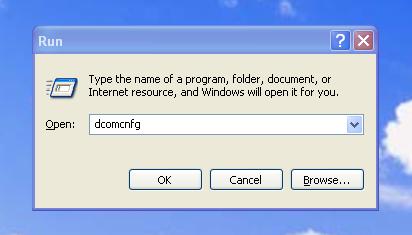
dcomcnfg - DCOM user security

ddeshare - DDE Shares

debug - Assembly language programming tool

defrag - Defragmentation tool

diskpart - Disk Partition Manager

drwatson - Record program crash & snapshots

drwtsn32 - Dr.Watson System Troubleshooting Utility

dxdiag - DirectX Diagnostic Utility

edit - MS-Dos Editor

eudcedit - Private Character Editor

explorer - Windows Explorer

 fonts - Fonts Folder

fontview - Graphical font viewer

freecell - Free Cell Card Game

fsquirt - Bluetooth Transfer Wizard

ftp - ftp.exe program

helpctr - Help and Suppport

hostname - Return Computer's name

hypertrm - Hyperterminal

charmap - Character Map

chkdsk - Repair damaged files

iexplore - Windows Internet Explorer

 iexpress - Iexpress Wizard

inetwiz - Internet Setup Wizard

jview - Microsoft Command-line Loader for Java classes

logoff - Log Out Of Windows

magnify - Windows Magnifier

migwiz - Files and Settings Transfer Tool

mmc - Microsoft Management Console

mobsync - Microsoft Syncronization Tool

moviemk - Microsoft Movie Maker

mrt - Malicious Software Removal Tool

msconfig - Configuration to edit startup files

mshearts - Hearts Card Game

msimn - Outlook Express

msinfo32 - Microsoft System Information Utility

mstsc - Remote Desktop

narrator - Microsoft Narrator

nbtstat - Display stats and current connections using NetBios over TCP/IP

netstat - Display all active network connections

notepad - notepad

nslookup - Return your local DNS server

odbcad32 - ODBC Data Source Administrator

osk - On Screen Keyboard

packager - Object Packager

pbrush - Paint

perfmon - Performance Monitor

pinball - Pinball Game

ping - Send data to a specified host/IP

printers - Printers Folder

regedit - Registry Editor

regsvr32 - Register/de-register DLL/OCX/ActiveX

regwiz - Registration wizard

rtcshare - Sharing Session

sfc /cachesize=x - System File Checker (Set Cache Size to size x)

sfc /purgecache - System File Checker (Purge File Cache)

sfc /revert - System File Checker (Return to Default Setting)

sfc /scanboot - System File Checker (Scan On Every Boot)

sfc /scannow - System File Checker (Scan Immediately)

sfc /scanonce - System File Checker (Scan Once At Next Boot)

shell:recyclebinfolder - Open Recycle Bin

shrpubw - Create a shared folder Wizard

shutdown - Shuts Down Windows

sigverif - File Signature Verification Tool

sndrec32 - Sound Recorder

sndvol32 - Volume control for soundcard

spider - Spider Solitare Card Game

sysedit - Edit system startup files (config.sys, autoexec.bat, win.ini, etc.)

syskey - Windows System Security Tool

systeminfo - Display various system information in text console

taskkill - Kill processes using command line interface

taskmgr - Task manager

tcptest - TCP Tester

telnet - Telnet program

tracert - Trace and display all paths required to reach an internet host

tskill - Reduced version of Taskkill from Windows XP Home

utilman - Utility Manager

verifier - Driver Verifier Utility

wab - Windows Address Book

wabmig - Windows Address Book Import Utility

winchat - Simple chat program for Windows networks

winipcfg - Display IP configuration

winmine - Minesweeper Game

winver - Windows Version

wmplayer - Windows Media Player

wordpad - Wordpad

wscript - Windows Script host settings

wupdmgr - Windows Update
Source